



Buying Guide
How to Buy a DTF Printer
This short guide helps you pick the right direct-to-film (DTF) printer for hobby work, a side hustle or small production. It highlights the practical factors to weigh, the main product types, the must-have specs, where to buy, common buying mistakes, and quick expert tips to get started fast.
Key factors to consider
Think about how you will use the machine and what it really costs to run. Important considerations include
- Workload and speed needs - occasional hobby prints vs steady batch production.
- Print size - A4 for samples and small runs; A3 for larger designs and higher throughput.
- White ink handling - look for stirring or circulation systems and automatic cleaning to avoid clogging and downtime.
- Material handling - sheet only, roll only, or both (roll + sheet) for flexibility.
- Included accessories - oven/heat press, film cutter, powder shaker or dryer can save setup time and money.
- Software and OS compatibility - many DTF systems require Windows 7/10/11; verify before purchase.
- Support and warranty - check printhead coverage and response times for remote support.
- Space, power and ventilation - curing ovens, powder lines and waste ink need room and proper ventilation.


Types and who they suit
DTF options fall into a few clear categories so match type to your goals
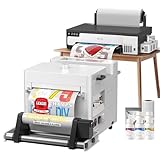
- Starter kit (A4 or small A3) - includes printer, oven and inks; best for hobbyists and testing concepts.
- Production A3 machines - higher speed, roll feeding and built-in cutters; suited to on-demand shops and small factories.
- Advanced production bundles - add automated powder shaker/dryer and enhanced white ink circulation for consistent long runs.
- Preconfigured bundles - include a laptop or preloaded software for plug-and-play setup; good if you lack a dedicated PC or technical setup skills.
Important features and specs to check
Prioritize these features when comparing listings
- Print width and resolution - confirm max printable width (A4 vs A3) and dpi if you need fine detail.
- Printhead type and spare part policy - reliable heads and a clear printhead warranty reduce risk.
- White ink system - active stirring or circulation and filtration prevent settling and extend head life.
- Cleaning systems - automatic or semi-automatic cleaning reduces manual maintenance.
- Feed system - robust roller feeder and anti-jam design for roll and sheet handling.
- Built-in cutter - saves film and speeds finishing.
- Oven or curing method - included oven or clear compatibility with heat presses for reliable transfers.
- Consumables included - initial ink volumes and film supplied; plan for ongoing ink, film and powder costs.
- Software and OS - ensure drivers and RIP software support your workflow and that it runs on your computer platform.
- Throughput claims - look for realistic speed comparisons and ask for sample prints and nozzle checks.

Where to buy, common mistakes and expert tips
Where to buy
Buy from sellers who offer clear return policies, local or remote technical support, and reasonable lead times. Online marketplaces can offer price variety and fast shopping but verify post-sale support and shipping terms. Local dealers or resellers can provide installation, training and faster warranty service.
Common mistakes to avoid
Buy from sellers who offer clear return policies, local or remote technical support, and reasonable lead times. Online marketplaces can offer price variety and fast shopping but verify post-sale support and shipping terms. Local dealers or resellers can provide installation, training and faster warranty service.
Common mistakes to avoid
- Ignoring white ink care and assuming it behaves like regular CMYK ink.
- Buying a sheet-only unit when you need roll capability for higher volume.
- Overlooking the need for an oven or proper curing method.
- Assuming Mac compatibility without checking drivers.
- Failing to budget for consumables, maintenance and spare parts.
- Start with an A4 bundle if you are testing the market; upgrade to A3 when demand stabilizes.
- Prioritize machines with white ink circulation and automatic cleaning to reduce downtime.
- Ask for a live nozzle check and a sample transfer on your target fabric before finalising purchase.
- Confirm Windows compatibility and have a dedicated PC for the RIP software.
- Factor total cost of ownership: printer price plus inks, films, powder, oven energy and maintenance.
- Choose a seller who offers at least limited printhead warranty and remote support to speed troubleshooting.
Final Thoughts
Choose a machine that matches your workload and budget, but focus most on white ink handling, feeding system and post-print curing. If you are new, buy a complete starter bundle with oven and software and verify Windows compatibility. For faster returns, opt for an A3 production model with roll feeding and automated powder handling and make sure you have reliable support in Canada before you buy.


