
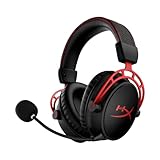

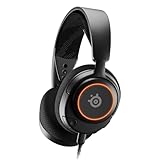



Buying Guide
How to Buy a Gaming Headset
This quick guide helps you pick the right gaming headset in Canada. It covers what matters most, the main types, the specs to prioritise, where to shop and easy mistakes to avoid.
What to prioritise
Decide your primary use: competitive gaming, immersive single player, console play or multiuse with mobile and PC.
Focus on these core factors
- Connection and latency: wired for zero latency, 2.4 GHz wireless for low-latency gaming, Bluetooth for mobile convenience.
- Battery life: ranges from about 20 to 40 hours depending on model.
- Comfort and weight: look for memory foam, lightweight designs and clever headbands if you play long sessions.
- Microphone quality: noise reduction, mute indicators and detachable or flip-to-mute mics improve chat clarity.
- Compatibility: check PS, Xbox, Switch dock and PC support and whether stereo or full surround is available on consoles.
- Budget: expect typical Canadian prices from about $79 to $150 for well-rounded options.
- Portability and build: metal frames last longer; foldable or detachable parts aid travel and repairs.


Types available
Pick the type that fits your setup
- Wired (3.5 mm or USB): simple, reliable and usually cheaper; ideal for consoles and mobile.
- Wireless 2.4 GHz: gaming-grade, low latency and often includes a USB dongle; best for PC and console docked play.
- Bluetooth or hybrid: great for mobile and switching devices; bear in mind higher latency for competitive play.
- Stereo vs virtual surround: stereo is natural and precise; virtual 7.1 or spatial audio adds a wider sound stage for immersion and positional cues.
Key features and specs to check
Scan product pages for these real-world features
- Driver size and tuning: 40 mm to 53 mm drivers are common; larger drivers can deliver stronger bass and a wider sound stage.
- Microphone tech: look for noise-cancelling, LED mute indicators, ultra-clear or mesh filters, and detachable booms if you want headset-only listening sometimes.
- Comfort details: memory foam ear pads, PU or fabric covers, and special headband systems reduce pressure during long sessions.
- Wireless range and charging: gaming wireless often quotes up to 20 metres range and quick charge options; battery life varies by model.
- Software and extras: EQ presets, spatial audio activations, mic filters and app-based adjustments can improve sound and voice quality.
- Accessories and ports: check for USB-C, USB-A, 3.5 mm jack, included dongles and whether cables are braided or replaceable.

Where to buy, mistakes to avoid and expert tips
Online vs retail
- Buy online for better selection and frequent discounts, but verify return windows and warranty handling in Canada.
- Buy in store if you need to test comfort, clamping force and mic position before you buy.
Common mistakes
- Choosing solely for looks or RGB instead of fit and mic performance.
- Overlooking platform compatibility or assuming all wireless headsets work fully with every console.
- Ignoring battery life or lack of a wired backup option for long sessions.
Quick expert tips
- Try a headset with your glasses on if you wear them; some pads and headbands get uncomfortable.
- Prefer detachable pads and replaceable cables to extend lifespan.
- Test microphone monitoring and mute indicators when you can; these save awkward moments in multiplayer.
- Watch for holiday sales and bundle deals, and confirm the seller is reputable for easier returns in Canada.
Final Thoughts
Choose for comfort, mic clarity and the right connection for your platform. Use online listings to compare specs and retail to verify fit. Aim for models with replaceable parts and clear warranty terms so your headset lasts.


