



Buying Guide
How to Buy a Laptop Bag
This quick guide helps you pick the right laptop bag for daily commutes, travel or work. It shows the key factors to check, the main bag styles, the specs that matter and where to buy so you can act fast and buy with confidence.
Key factors to consider
Think about how you use the bag and match features to needs
- Size and fit - measure your laptop diagonally and compare with the bag's dedicated sleeve. Common fits are 15.6 inch and 17.3 inch.
- Protection - look for a padded laptop compartment, reinforced stitching and raised metal feet to protect the base.
- Material and weather resistance - water-repellent canvas, PU leather or coated polyester resist light rain and scuffs.
- Organisation and capacity - count internal pockets, zippered sections and special features like insulated lunch compartments (example capacity: about 7.7 L; can hold roughly ten 330 ml cans).
- Comfort - adjustable, padded shoulder straps and a removable strap ease long carries; check handle comfort too.
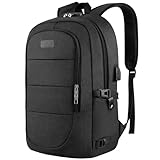
- Travel features - luggage/trolley sleeve, expandable compartments and anti-theft rear pockets speed travel and increase security.

Types and categories
Choose the style that matches your routine
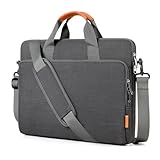
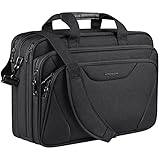
- Briefcase style - structured, professional and usually has a top handle and slim profile for business.
- Messenger or shoulder bag - crossbody carry, quick access under a flap, good for cycling or active commutes.
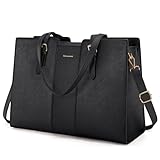
- Tote or laptop purse - fashionable, can include extras like an insulated lunch compartment for hybrid workdays.
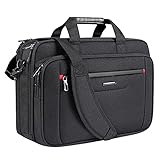
- Expandable travel bag - zippers allow extra capacity for documents or a change of clothes; ideal for frequent flyers.
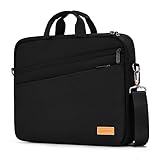
- Slim sleeve - minimal, low volume and best if you only need laptop protection with little extra storage.
Important features and specs to check
Inspect measurements, build and real-world specs before you buy
- Internal sleeve size and overall dimensions - confirm the laptop compartment dimensions and external bag size (example full bag size seen: around 16.9 x 6.2 x 12.5 inches / 43 x 16 x 32 cm).
- Weight - lighter bags reduce shoulder strain; example messenger bags range from about 1.5 lb to 2.9 lb.
- Insulation performance - if you want a lunch compartment, check claimed hold times for food and drinks and the listed capacity.
- Hardware quality - smooth zippers, reinforced seams, durable metal feet and solid buckles extend life.
- Security and travel - RFID pockets, rear anti-theft zippers and luggage straps are useful for travel and commuting.
- Price range - practical, well-built options commonly appear in the CAD 40 to CAD 55 range; weigh features versus cost.
Where to buy, mistakes to avoid and expert tips
Know the tradeoffs and shop smart
- Online - best for selection and lower prices. Always check exact dimensions, read recent photos and reviews, and confirm return and warranty policies.
- In store - best for feel and fit. Try your laptop and charger in the sleeve and test strap comfort and access to pockets.
- Common mistakes - buying from photos alone, ignoring internal dimensions, choosing style over protection, and not checking return terms.
- Expert tips - bring your laptop charger or measure it to ensure pockets fit chargers and mice; prefer dual closures (zip plus flap) for security; pick a slightly larger sleeve clearance rather than a tight fit so cases and protectors fit comfortably; prioritise water resistance and good zippers for long-term use.
Final Thoughts
Prioritise fit, protection and comfortable carry. Verify internal dimensions, materials and travel features before buying. If you commute or travel often, choose a bag with a padded sleeve, water resistance, a trolley strap and comfortable padded straps. Use the checklist above to compare options and buy with confidence.