


Buying Guide
How to Buy Desk and Workspace Accessories
This short guide helps you pick the right desk accessories for a more organised, comfortable and safe home office. It covers what to look for, the common product types, key specifications, where to buy and quick expert tips to get setup fast.
Key factors to consider
Consider your main goal first: better posture, cable management, more surface space or device charging. Important deciding factors include
- Workspace dimensions and layout - measure desk depth and under-desk clearance before you buy.
- Ergonomics - monitor height to eye level, foot support to keep knees at roughly 90 degrees.
- Build and materials - metal mesh and solid MDF are durable choices; check for sturdy snap or screw connections.
- Power needs and safety - look for surge protection with a Joule rating suitable for electronics and USB output that matches your devices.
- Portability and cleaning - removable, washable covers for footrests and lightweight organisers if you move often.
- Price and availability - many solid options sit in the low to mid price range, often with free shipping or seasonal deals.

Types available and when to choose them
Common categories you will see
- Stacking desk organisers - multi-tier trays with drawers and pen holders to sort papers and small supplies. Choose these to reduce desktop clutter.
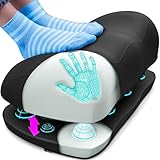
- Footrests - memory foam with textured or rocker bases to improve circulation and reduce fatigue during long sitting periods.
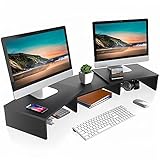
- Monitor risers and stands - wood or MDF platforms that raise screens to eye level and create storage underneath. Look for adjustable length and angle if you run two monitors.
- Power strips and surge protectors - tower or flat-plug extension cords with multiple AC outlets and USB A and C ports. Ideal when wall sockets are limited or hard to reach.
Key specs and common mistakes to avoid
Must-check specifications
- Monitor stand height and weight limit - ensure the riser supports your monitor size and brings the top of the screen to eye level.
- Footrest foam density and cover - pick high-density memory foam with a removable, machine-washable cover for longevity.
- Surge protector rating and USB output - aim for a surge rating in the several hundreds to 1000+ Joules for protecting computers, and USB-C ports that deliver up to 3A for fast charging.
- Cord length and plug profile - longer cords and flat plugs help hide cables and reach distant outlets.
- Outlet spacing - wide spacing prevents bulky adapters from blocking adjacent sockets.
- Buying without measuring your desk or checking under-desk clearance.
- Assuming all USB ports supply the same power; verify total and per-port amps.
- Ignoring surge protection when plugging in expensive electronics.
- Prioritising looks over stability and non-slip features.

Where to buy and expert recommendations
Online vs retail
- Online: best for variety, price comparisons, reading real customer photos and saving with free shipping or seasonal deals. Confirm return policy and delivery times before buying.
- Retail: useful for testing stability and materials in person and for immediate pickup.
- Measure first and buy one item at a time based on the biggest problem you want to solve.
- For immediate posture gains start with a monitor riser and a footrest.
- Choose a surge protector with USB-C if you charge modern devices from your desk.
- Pick organisers with removable modules or drawers for flexibility and easy cleaning.
- Check the seller warranty and customer reviews for notes about durability and assembly time.
Final Thoughts
Buy the accessory that fixes your biggest daily pain point first, check the key specs listed here, and favour products with clear return options and washable or durable materials. Measure, compare, and choose safety and ergonomics before style.