



Buying Guide
How to Buy a Laptop
This short guide helps you pick the right laptop quickly by focusing on the practical factors that matter. It covers what to check, the main laptop categories, key specs to prioritise, where to buy, common pitfalls, and expert tips so you can act with confidence.
Key factors to consider
Performance and workload: choose a processor and RAM for your use. For light web, streaming and office work, modern low-power chips with 8 to 16GB of RAM are fine. For heavy multitasking, photo editing or development, aim for 16GB to 32GB RAM and a faster dual- or quad-core chip.
Storage and speed: prefer NVMe SSDs for fast startup and app loading. 256GB is entry level, 512GB is a practical sweet spot, 1TB is better if you store large files.
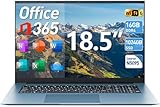
Screen and size: 13.3 to 16 inches is most portable. Larger 18.5 inch screens give more workspace but reduce portability. Decide if a touchscreen is useful for you.
Battery and portability: battery capacity can vary. Expect around 4 to 7 hours in many mainstream models depending on battery size and screen. If you travel, prioritise lighter weight and longer battery life.
Connectivity and extras: check for HDMI, USB-C (with data and power delivery where possible), USB 3.2 ports, memory card slot, webcam quality, Wi-Fi version and Bluetooth. Numeric keypad is handy if you enter numbers frequently. Security options can include face recognition.
Storage and speed: prefer NVMe SSDs for fast startup and app loading. 256GB is entry level, 512GB is a practical sweet spot, 1TB is better if you store large files.
Screen and size: 13.3 to 16 inches is most portable. Larger 18.5 inch screens give more workspace but reduce portability. Decide if a touchscreen is useful for you.
Battery and portability: battery capacity can vary. Expect around 4 to 7 hours in many mainstream models depending on battery size and screen. If you travel, prioritise lighter weight and longer battery life.
Connectivity and extras: check for HDMI, USB-C (with data and power delivery where possible), USB 3.2 ports, memory card slot, webcam quality, Wi-Fi version and Bluetooth. Numeric keypad is handy if you enter numbers frequently. Security options can include face recognition.


Types and who they suit
- Budget everyday laptops: Good for students and basic office work. Look for 8 to 16GB RAM and 256 to 512GB SSD.
- Mainstream 15 to 16 inch laptops: Best balance between screen space and portability, suitable for most users including light content creation.
- Large-screen desktop replacements (17 to 19 inches): For people who need more workspace and prefer staying stationary. Expect heavier machines.
- Workstations and refurbished higher-end units: For professional CAD, video editing or heavy development, choose workstation-grade CPUs, 32GB RAM and 1TB SSD. Refurbished models can offer great value but check warranty and condition.
Where to buy and what to prioritise
Online advantages: broader selection, easier price comparison, frequent promotions and free shipping on many listings. Confirm seller reputation, delivery times and stock levels before you buy.
Retail advantages: you can test keyboard, screen and build quality in person, and often get immediate returns or exchanges. Use retail to check fit and feel if portability or typing comfort matters.
Prioritise these specs by use case:
Check returns and warranty: verify at least 12 months warranty and easy return policy. If the listing is marked as a deal or limited stock, act fast but confirm seller status.
Retail advantages: you can test keyboard, screen and build quality in person, and often get immediate returns or exchanges. Use retail to check fit and feel if portability or typing comfort matters.
Prioritise these specs by use case:
- Mostly web and office: 8 to 16GB RAM, 256 to 512GB SSD, decent webcam and battery.
- Photo or light video editing: 16GB RAM, 512GB+ NVMe SSD, a good IPS screen and faster CPU.
- Professional workstation needs: 32GB RAM and 1TB SSD or higher, reliable cooling and a warranty that covers business use.
Check returns and warranty: verify at least 12 months warranty and easy return policy. If the listing is marked as a deal or limited stock, act fast but confirm seller status.

Common mistakes to avoid and expert tips
- Avoid undersizing storage. Low SSD capacity fills up fast and slows the system.
- Do not judge performance only by the chip name. Look at core count, base and boost clock, and real-world reviews for your workload.
- Don’t ignore ports. One missing port can force you to buy adapters you do not want.
- Avoid buying solely on battery mAh ratings. Real battery life depends on screen size, resolution and processor efficiency.
Expert tips: aim for 16GB RAM as the default for longevity, choose 512GB NVMe SSD for day to day comfort, and prefer models with USB-C and HDMI if you use external displays. If budget is tight, consider a refurbished higher-spec model but confirm the return window and warranty. Test keyboard travel and trackpad in store when possible, and look for sellers offering free shipping and visible stock levels to avoid delays.
Final Thoughts
Pick the form factor that matches how you work, prioritise RAM and NVMe storage for smooth everyday use, and check ports and warranty before you buy. Use retail to test feel, and online to hunt deals and compare specs. With a clear use case and these checks you can pick a laptop that delivers reliable performance and value.


