




Buying Guide
How to Buy an Action or Underwater Camera
This quick guide helps you choose the right action or underwater camera by focusing on the features that matter, the types available, buying tips and common pitfalls. Use the checklist below to pick a model that matches your activity, budget and shooting goals.
Key factors to consider
Decide your primary use and prioritise these factors:
- Use case - fast sports, snorkeling, scuba diving or handheld travel affects depth rating, mounts and ergonomics.
- Image quality - 4K at 30fps or 1080p at 60fps are common. Higher frame rates help with slow motion but use more storage.
- Stabilisation - electronic image stabilisation (EIS) improves action footage without a gimbal.
- Waterproof rating - check depth rating in metres or feet. Some cameras achieve 40m in a housing while others are only good to 10 m.
- Battery life - note mAh and real runtime. Many kits include spare batteries; plan for 90 to 140 minutes per battery depending on settings.
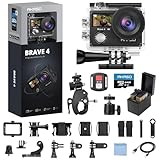
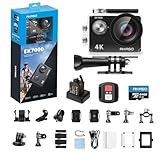
- Accessories included - waterproof case, mounts, floating grip, remote and memory card can save you money.
- Connectivity and outputs - Wi-Fi and HDMI let you transfer and view footage quickly; external mic support improves audio for vlogs.


Types and categories
Match the camera category to how you will shoot:
- Action camera in a housing - versatile for biking, surfing and deep diving when combined with a waterproof case and mounts.
- Waterproof compact - purpose-built for snorkeling and casual pool use, typically floatable and easier to use out of the housing.
- Dual-screen or selfie-focused models - have a front screen for selfies and a rear screen for framing; good for vlogging and travel.
- Budget bundles - include mounts, memory card and spare batteries. They are cost effective but check build quality and manufacturer support.
Important features and specifications to check
Look for these specs when comparing models:
- Resolution and frame rate - 4K30fps for crisp footage, 1080p60 for smoother motion and longer files.
- Lens field of view - adjustable angles (for example 170°, 140°, 110°) let you control distortion and framing.
- Stabilisation - EIS is common; test it or read reviews for real-world results.
- Waterproof depth - confirm whether the camera itself or the housing delivers the rated depth.
- Battery capacity and spare batteries - larger mAh and extra batteries are essential for long outings.
- Storage compatibility - prefer microSD U3 cards and check max supported capacity (64GB, 128GB etc.).
- Screens - touch rear screens speed up settings; a front screen helps with selfies and framing.
- Audio - look for external mic support if you record voice or vlogs; many wrist remotes are not waterproof so plan accordingly.

Where to buy, common mistakes and expert tips
Online retailers and big-box stores both work well. Online often has the best selection and bundled deals, while retail lets you handle the unit before buying. Check return policies and warranty coverage.
- Common mistakes to avoid:
- Assuming the camera is waterproof to the stated depth without the housing.
- Buying a slow or low-capacity microSD card which causes dropped frames or slow write errors.
- Relying on a single battery for full-day sessions.
- Overlooking stabilisation and thinking resolution alone equals usable footage.
- Expert tips and recommendations:
- Choose a bundle that includes at least one spare battery, a floating handle and a U3 microSD card.
- Buy a reputable U3 microSD card and format it in the camera before use.
- Test the waterproof case in shallow water or a sink before taking it on a trip.
- Use anti-fog inserts in housings and rinse housing seals with fresh water after salt exposure.
- Lower resolution or frame rate to extend battery life and storage when needed.
- Keep firmware updated and read quick-start guides for app connectivity and HDMI output settings.
Final Thoughts
Pick a model that fits your deepest planned dive or most active use, prioritise stabilisation, battery life and real waterproof capability, and choose a kit that includes key accessories. With the right microSD card and a couple of spare batteries, you will be ready to capture reliable, high-quality footage on your next adventure.


