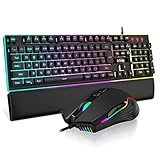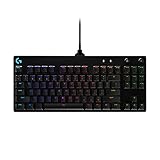





Buying Guide
How to Buy a Gaming Keyboard
This short guide helps you choose a gaming keyboard that matches your desk space, play style and budget. It covers the key factors to check, the main layout and switch types, the important specifications to compare, where to buy, common mistakes to avoid and quick expert tips to speed up your decision.
What to prioritise
Start with three non negotiables: layout, switch feel and connection type. Consider these factors when choosing a keyboard:
- Layout and size: Do you need a full numpad, a compact 96% layout or a tenkeyless 80% layout to free desk space?
- Switch type: Pick linear for smooth rapid presses, tactile for feedback, or hybrid/membrane for quieter use. Pre lubricated switches smoothen factory feel.
- Connectivity: Wired for lowest latency, 2.4 GHz for gaming without cables, Bluetooth for multi device convenience. Tri mode keyboards offer all three.
- Build and acoustics: Metal or reinforced frames last longer; foam, gasket designs and switch dampeners improve sound and reduce pinging.
- Keycaps and hot swap: Double shot or PBT keycaps resist shine; hot swappable sockets let you change switches without soldering.
- Battery and extras: For wireless, check battery capacity and expected runtime. Look for knobs, multimedia controls, wrist rests and onboard memory for profiles.
- Durability and spill protection: IP ratings reduce risk from accidental spills and improve longevity.


Layouts and types
Know the common categories so you pick the right footprint for your setup:
- Full size and 96%: Offer number pad plus compact pack of keys for a desk friendly full set.
- Tenkeyless (TKL): Removes numpad to give more mouse movement room without losing function keys.
- 75% and 65%: Compact but still keep most navigation keys; great for minimal desks and portable setups.
- Low profile and hybrid: Lower key travel and quieter operation; hybrid can combine mechanical feel with membrane quietness.
- Custom and gasket keyboards: Softer typing feel and quieter acoustics due to layered padding and flexible mounting.
Where to buy and mistakes to avoid
Buying online vs in store
- Online pros: wider selection, better prices, specs and user reviews to compare. Look for retailers with clear return policies and fast shipping.
- Retail pros: Try key feel, test switches and check build quality in person. Good for hands on decisions.
- Choosing by looks alone without testing switch type or checking latency for wireless models.
- Overlooking keycap material and stabiliser quality which affect long term feel.
- Not checking battery size or realistic wireless runtime if you plan to go cordless.
- Assuming RGB or extra features improve typing performance. Focus on core needs first.
- Buying where returns are difficult. Prioritise stores with flexible return windows in Canada.

Expert tips and fast recommendations
Quick actionable advice to finalise a purchase
- Decide layout first, then switch type.
- Pick hot swap if you might change switches later.
- Choose PBT double shot keycaps for long term durability.
- For wireless gaming pick 2.4 GHz or tri mode with low latency and a larger battery (eg 3000 mAh or more for long sessions).
- If you care about sound, prefer models with multi layer foam, switch dampeners or gasket mounting for quieter, richer acoustics.
- Look for detachable cables and onboard memory if you attend tournaments or move setups often.
- Use price as a guide: entry to mid range commonly falls around $60 to $180 CAD; higher prices buy better build, switches and extras.
Final Thoughts
Prioritise layout and switch feel, then confirm connectivity and build quality. Test in store if you can, otherwise buy from a retailer with a clear return policy. Choose hot swap and PBT keycaps to future proof your purchase, and check battery and latency for wireless models. Use the quick checklist in this guide to make a fast, confident choice.