



Buying Guide
How to Buy a Laptop Stand
This short guide helps you pick the right laptop stand quickly. It covers what matters, the main types you will see, the key specs to check, where to buy and common mistakes to avoid so you can act with confidence.
What to consider first
Measure your laptop and workspace before you shop. Stands are sized by screen diagonal and footprint, so confirm your laptop fits and that the stand leaves room for a keyboard or mouse.
Think about how you use the laptop. Do you need portability for cafes and travel, a stable riser for heavy typing, or a workstation-style hub with extra ports? That determines the material, weight and feature set you should prioritise.
- Compatibility: fit for screen size and chassis depth
- Stability: rated load capacity and base size
- Ergonomics: height range and tilt angles to reach eye level
- Portability: foldable, weight and folded thickness
- Cooling: open design or aluminium body for heat dissipation


Types and key features to look for
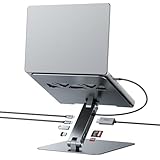
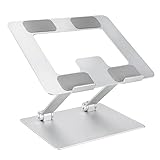
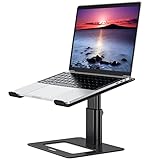
Common types include fixed risers, foldable adjustable stands, 360 degree rotating bases, and integrated docking stands with USB-C hubs. Each serves a different need.
- Fixed risers - simple, very stable, usually aluminium, good for home desks
- Foldable adjustable - lightweight and portable, fold flat into a bag for travel
- Rotating stands - let you swivel the screen for collaboration or demos
- Docking stands - combine elevation with HDMI, Ethernet and power delivery for a cleaner desktop
Technical specs to check: material (aluminium is common for heat dispersion), load rating (models here support roughly 5 kg to 10 kg), maximum supported screen size (some go up to 17.3 inches), height adjustment range, and if a hub, HDMI version, Ethernet speed and power delivery wattage. Note that advertised PD wattage can be lower in practice depending on your laptop and cable.
Where to buy and mistakes to avoid
Online shopping offers broader selection, detailed specs and price comparison. Look for clear dimensions, user photos and return policy. Retail stores let you test stability and feel the build quality before buying.
Common mistakes to avoid:
- Ignoring actual dimensions and footprint that conflict with your desk layout
- Buying a stand with too low a load rating for heavier laptops
- Assuming all USB-C hubs provide full power delivery or universal compatibility
- Picking a very tall tilt if you plan to type directly on the laptop keyboard
- Overlooking ventilation, which can increase throttling on performance laptops

Quick expert tips
Choose aluminium for a balance of stability and cooling. For frequent travel pick a fold-flat model under 1 kg. If you use a laptop as your primary desktop, prefer a docking stand with 4K HDMI and gigabit Ethernet and confirm it supports at least 60W to 100W PD if you need fast charging.
Simple buying checklist:
- Confirm screen size fit and load capacity
- Try to match ergonomic height to eye level with your chair
- If buying online, read verified user photos and Q and A about wobble and assembly
- Keep receipts and test the return window for fit and stability
Final Thoughts
Pick the stand that matches how you work: a lightweight foldable for mobility, a sturdy adjustable for daily desk use, a rotating base for collaboration, or a docking stand for a clean desktop. Verify dimensions, stability and port specs before you buy and use the checklist to make the decision fast.