



Buying Guide
How to Buy a Tablet
Quick guide to the key choices when shopping for a tablet. This covers what matters most, the common categories, the specs to prioritise, and where to buy so you get the best value for your needs in Canada.
Key factors to consider
Think about how you will use the tablet and match the hardware to that purpose. Important points to check:
- Primary use: reading and streaming, note taking, light work, gaming, or laptop replacement.
- Operating system and updates: newer Android versions give longer app support and better efficiency.
- Performance: prefer higher physical RAM and a competent processor; watch out for "virtual" RAM boosts that are marketing features, not full substitutes for real RAM.
- Display: size, resolution and refresh rate matter for comfort and smoothness; 10 to 11 inch is a versatile sweet spot.
- Battery and charging: look for at least 8,000 mAh for all-day use and USB-C fast charging for convenience.
- Storage and expansion: built-in storage plus microSD support lets you keep media locally; check the maximum card size supported.
- Accessories and compatibility: stylus or keyboard included adds value; confirm case and keyboard compatibility if you want a 2-in-1 setup.
- Streaming quality: Widevine L1 support is required for full HD playback on many streaming services.


Types and who they suit
Simple way to choose by category and budget:
- Budget tablets (low price): fine for web, video and kids. Expect basic displays and modest processors.
- Mid-range tablets (value price): better screens, more RAM and larger batteries for multitasking, study and casual creative work.
- Premium tablets (higher price): best for drawing, heavy multitasking or as laptop replacements. Look for pen support, higher refresh rates and stronger audio.
- Size categories: smaller 8 to 9 inch for portability; 10 to 11 inch for a balance of screen area and weight; larger screens for productivity.
Features and specs to prioritise
Practical specs that affect daily experience:
- RAM: aim for at least 4 GB physical RAM for basic use; 6 to 8 GB or more if you run many apps. Treat advertised virtual RAM as a supplement, not a core spec.
- Storage: 64 GB minimum for general use; 128 GB better if you keep media. Use microSD expansion for large libraries; some models support 1 TB or 2 TB cards.
- Display: full HD or 1920x1200 gives a noticeably sharper picture than 1280x800. 90 Hz to 120 Hz improves smoothness for scrolling and drawing.
- Battery: an 8,000 mAh cell typically delivers all-day video or work; check the vendor's real-world runtime claims.
- Connectivity: Wi-Fi 6 and Bluetooth 5.x give better speed and accessory support. Dual-band Wi-Fi helps in crowded networks.
- Cameras and sensors: 8 MP to 13 MP is common and fine for document scanning and video calls.
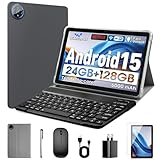
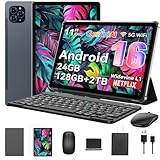
- Extras: included stylus, keyboard and mouse add immediate productivity value. Confirm whether the stylus is active and whether the keyboard is full-size.
- Warranty and regional support: prefer products with a Canada-specific warranty or clear return policy.

Where to buy, common mistakes and expert tips
Online or retail both work, pick based on what you need:
- Online: best for price and range. Confirm shipping, returns and Canadian warranty before buying.
- Retail: useful to try screen feel, weight and keyboard/stylus ergonomics in person.
- Buying solely on big RAM numbers without checking how much is physical versus virtual.
- Assuming all tablets stream HD content; check for Widevine L1 if you want HD Netflix, Prime or Disney+.
- Overlooking included accessories or missing chargers and regional warranty coverage.
- Skipping reviews from Canadian buyers who report local issues like charger format or warranty service.
- Decide primary tasks first, then set a budget paying most for display and battery if you stream or travel a lot.
- Choose a model with microSD support if you collect media, and buy a fast card from a reputable brand.
- If you plan to draw or take notes, ensure the stylus is included or buy a compatible active pen.
- Keep receipts and register the device for warranty; buy from sellers offering clear Canadian return windows.
Final Thoughts
Match the tablet to your main tasks: basic browsing and video on budget models, productivity and note taking on mid-range devices, and heavy creative or multiwindow work on premium units. Prioritise real physical RAM, adequate storage plus expansion, a good display and an 8,000 mAh or larger battery. Buy where you can confirm return policies and local warranty to avoid surprises.