


Buying Guide
How to Buy Outdoor Wireless Solar Security Cameras
This quick guide helps you choose an outdoor wireless security camera system that fits Canadian conditions and real home needs. It covers the most important factors, the main system types, where to buy, common pitfalls, and clear expert tips so you can act fast and buy with confidence.
Key factors and specifications to check
Start with these essentials to match performance to your property needs.
- Resolution: 2K is sharp enough for most drives and entrances; 4K helps with license plates and long drives.
- Night capability: look for colour night vision with built-in LEDs or a spotlight for ID at night.
- Power: solar integrated or battery with add-on solar panel. Check realistic battery life claims and whether solar panels keep the camera topped up in winter.
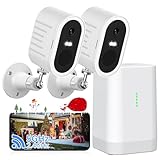
- Storage and privacy: prefer systems with a local base station and onboard storage (32 GB to 64 GB shown) so footage is recorded without mandatory subscriptions.
- Connectivity: dual-band Wi-Fi (2.4 GHz and 5 GHz) improves stability and range. Some systems include improved transmission tech to reduce dropouts.
- Smart detection: human/AI detection and activity zones reduce false alerts from animals or cars.
- Build and weather rating: confirm operating temperature range and a weatherproof housing suitable for Canadian winters and summer heat.
- Expandability: number of cameras supported by the hub and ability to add extra solar panels or cameras later.


Types and setup options
Pick a type based on coverage needs and installation constraints.
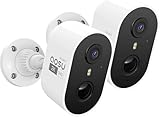
- Solar-integrated bullet cameras: easy install and low maintenance when placed where they get sun. Good for fixed-angle monitoring.
- Battery cameras with add-on solar panels: flexible placement and long standby between charges; choose if direct sun is limited.
- Pan-and-tilt dome with auto-tracking: provides 360 degree coverage and automatic tracking of motion but will cost more and may need stronger Wi-Fi.
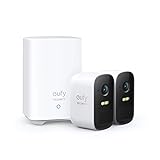
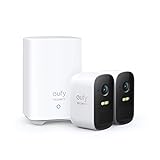
- Hub-based kits with local storage: include a base station that stores footage locally and keeps recording during internet outages. Best if you want no monthly fees.
Where to buy and common mistakes to avoid
Online retailers give the best selection and prices, and let you compare specs and read user reviews quickly. Big-box retail stores let you see builds and ask staff questions before purchase. For either route check return policy and warranty.
- Mistake: assuming lab battery life matches your usage. Real life varies with motion frequency and live viewing time.
- Mistake: buying a cloud-only system without local backup. If internet drops, you could lose footage.
- Mistake: ignoring Wi-Fi range and placement. A base station can help but test signal strength at each camera location before final mounting.
- Mistake: forgetting theft or tamper protection for cameras and base station. Secure the hub indoors and mount cameras high or with locking brackets.
- Mistake: not changing default passwords and failing to enable encryption or two factor options if available.

Expert tips and quick buying checklist
Use these practical steps before you click Buy.
- Decide coverage first: count entrances and play areas; start with a 2- or 4-camera kit and expand if needed.
- Choose local-storage hub if you want zero monthly fees and resilience during outages.
- Prefer systems with human detection and activity zones to cut false alerts.
- For Canadian installs position solar panels facing south with a clear view of the sky for best charging year-round.
- Pick dual-band Wi-Fi compatibility and check router placement or add a Wi-Fi extender if needed.
- Confirm operating temperature range and look for units rated for cold winters and hot summers.
- Set up and test cameras on the ground before drilling. Verify live view, motion alerts and night performance.
- Keep firmware updated and make periodic backups of key clips off the base station.
Final Thoughts
For most Canadian homes a hub-based solar or battery system with local storage, dual-band Wi-Fi and human-detection offers the best balance of reliability, privacy and low ongoing cost. Start with a 2- or 4-camera kit that meets your coverage needs, verify Wi-Fi and sunlight at planned locations, and prioritise local storage and good support when you buy.